



Amazon Kindle Scribe 10.2 inch — 16gb Basic pen
SKU classic-amazon-kindle-scribe-10-2-inch-basic-pen-16gb-45783037083883
Amazon Kindle Scribe E-Reader 10.2 inches 16GB wifi with BASIC Pen - Kindle Scribe is the first Kindle that includes a notebook, so you can read and annotate in books or PDFs, or write down to-do lists, meeting notes or sketches in a separate notebook. It is the largest Kindle yet, with a 10.2” 300 ppi glare-free display, a 2x larger display than Kindle Paperwhite. It feels like reading and writing on paper, and with its warm light and auto-adjusting front light you can read and write comfortably, day or night. Less More Information More Information SKU 1MM09020010021GRY Barcode 810019523960 Product Types E-BOOK READERS Brand Amazon Model B09BS26B8B Color Grey Connectivity Wi-Fi, Bluetooth Dimensions 7.7” x 9.0 x .22 (196 x 230 x 5.8mm excluding feet) Display Size 10.2" Glare-Free Display Type LED Display Resolution 300 ppi Internal Memory 16GB USB USB-C Battery 3000 mAh Features VoiceView Screen Reader | Over Bluetooth Audio | Spoken Feedback | Text-to-speech (Available in English only) | Invert Black and White | Adjust Font Size, Font Face | Line Spacing and Margins Amazon Kindle Scribe E-Reader 10.2 inches 32Gb wifi display with Premium Pen Read and write as naturally as you do on paper – Features the world’s first 10.2” 300 ppi glare-free Paperwhite display and included Premium Pen. Features the world’s first 10.2” 300 ppi glare-free Paperwhite display and included Premium Pen with 32GB storage. Take notes within millions of titles in the Kindle Store. Handwrite thoughts on sticky notes in your favorite book with the included Premium Pen. Notes are automatically organized by book in one place, so you can browse, review, and export them via email. Create notebooks, journals, and lists. Choose from a variety of included templates like lined paper, grid paper, checklists, and more. Review documents and take notes digitally. Use the Kindle app or desktop web browser to import documents. Review and mark up PDF files or create sticky notes in Microsoft Word and other compatible documents. Export documents and notes via email. Read and write comfortably day or night. Whether immersing yourself in a non-fiction book, or reviewing a document, Kindle Scribe has a large, high-resolution display, adjustable warm light, auto-adjusting front light, and larger font sizes for a personalized experience. A world class library, more beautiful than ever. Take notes within millions of books all brought to life on a large, high-resolution display. Read and write longer. A single charge via USB-C powers months of reading and weeks of writing, and the Premium Pen never needs to be charged More Information More Information SKU 1MM09020010023GRY Brand Amazon Barcode 840080551487 Model B09BSGFTHY Color Grey Size 196 x 230 x 5.8mm Product Types ANDROID Batteries Type 3000 mAh Ports USB Type C New Amazon Kindle Scribe (32GB) - Redesigned display with uniform borders. Now write directly on books and documents. With built-in notebook summarization. Includes Premium Pen - Tungsten New Kindle Scribe - A Kindle and a notebook, all in one. Redesigned flush-front display with uniform white borders and upgraded Premium Pen, feels like writing on paper. Write in books as inspiration strikes - Start writing directly on the page and Active Canvas will create space for your notes. Built-in notebook - Create meeting notes and to-do lists, or journal all in one place. Convert handwritten notes to text and email them to yourself or your contacts. Notebook summaries - Easily summarize and refine your notes with new built-in AI notebook tools. Read and write in any light - The 10.2" glare-free, 300 ppi front-lit display is designed for reading and writing anytime, indoors and out. No distractions - Focus on your thoughts with a device purpose-built for reading, writing, and marking up documents. No notifications or social media. Premium Pen included - No need to set up or charge, just start writing. Upgraded design, shortcut button, and soft eraser provide a perfect writing companion. For the love of reading and writing Read and write comfortably on the largest Kindle display. See, hear, and feel your thoughts meet the page with every stroke of the Premium Pen across the textured screen. Writing on Kindle Scribe feels like writing on paper. Experience the added magic of built-in notebook summarization, and with Active Canvas create space for your notes in books. Plus, import and mark up documents and PDFs. Built-in notebook Write directly in books AI notebook tools 10.2” glare-free display Paper-like feel Millions of titles in the Kindle Store New notebook-inspired design Feel like you’re writing on a sheet of paper with the redesigned flush-front display and uniform white borders. The reimagined Premium Pen with customizable shortcut button and soft-tipped eraser writes instantly and naturally. The Pen is ready to work immediately. No charging or setup required. Introducing Active Canvas Start writing directly on the book page and Active Canvas will automatically create space for your notes, adjusting the text to fit alongside them. Now, you never have to cut a thought short. Your notes are tied to the text, so they’re always in view and in context, even if you change font sizes. Coming in early 2025, write notes in expandable book margins. Get more out of your notes Every note organized Choose from different templates to take meeting notes, create to-do lists, and journal distraction-free. With the built-in notebook, you can keep all your writing organized on one device. You can also convert to text and share via email with your contacts. Introducing AI notebook tools Recap your notes easily with the new notebook summarization feature. You can also refine the text, converting your handwritten words into a script font for a more elegant look. Your next great read awaits Finding new stories has never been easier. The Kindle Store offers easy access to an unmatched library of content with bestsellers, more than 15 million titles worldwide, and Kindle Exclusives you won’t find anywhere else. Prime members can read from a selection of eBooks, audiobooks, magazines, comics, and manga included with their $14.99/month Prime membership . Access over 4 million titles, thousands of audiobooks, magazines, and more when you subscribe to Kindle Unlimited for $11.99/month. Got you covered Designed for Kindle Scribe, these slim, form-fitting covers attach securely and fold into two reading positions. They put your Kindle to sleep when closed and wake upon opening, so it’s easy to get back to reading and writing. Form-fitting covers With our covers, Kindle Scribe magnetically attaches to a slim folio, rather than snapping into a plastic back. Store your Premium Pen in the included loop. Shop our covers Pen tips Replacement tips help you continue to experience the tactile feel of writing on digital paper with the Premium Pen. Shop replacement tips Frequently Asked Questions 1. How can I import my documents onto Kindle Scribe? Use Send to Kindle to import documents from your desktop web browser, the Kindle app, or even directly from Microsoft Word (Microsoft 365 subscription required). Supported file types that you can import this way include PDF, DOCX, eBooks in EPUB format, as well as other common document formats like JPG, PNG, HTML, and TXT. Learn more about sending documents. 2. Can I view my notes on other Kindle surfaces? You can view your Kindle Scribe notebooks through the Kindle app for iOS and Android. To access them, go to the “More” tab in the app and select “Notebooks” to view all the notebooks created on your Kindle Scribe. Additionally, you can view any highlights or sticky notes you made in books; however, you can't view underlines or Active Canvas notes. 3. How do I use the AI notebook tools? To summarize, open a notebook, tap the AI icon, and select “Summarize”. Choose up to 15 pages (or specific pages from Bird's Eye View) to extract key takeaways, saving time in reviewing your notes. For writing refinement, tap the AI icon and choose “Refine Writing”. Select up to 10 pages to convert your handwriting into a polished, script-like font. This works best for narrative-style notes, to-do lists, or nested lists, but may not be as effective for non-linear layouts like calendars or planners. Both tools may need time to sync new notebooks. For a faster experience, tap “Sync” to manually sync your notes before using AI tools. You can customize the font style, size, and spacing of the output. Results are inserted into your notebook using a blank page template for a clean, organized presentation. AI notebook tools are supported for the English language and are available in the US. Know the carbon footprint We measure this device's carbon footprint and identify opportunities to reduce its emissions throughout its life cycle. Figures are for Kindle Scribe (32GB) only, excluding variants or any bundled accessories. We update the footprint if new information increases the estimate by more than 10%. See the complete fact sheet Carbon Footprint 49kg CO 2 e life cycle carbon emissions Recycled Materials Made from 18% recycled materials. The aluminum parts are made from 100% recycled aluminum. Packaging All new 100% recyclable packaging (shipping packaging not included). Trade-in and Recycle Built to last. But when you're ready, you can trade-in or recycle your devices. Explore Amazon Second Chance . Kindle Scribe Technical details Display Amazon's 10.2” Paperwhite display technology with built-in light, 300 ppi, optimized font technology, 16-level gray scale. Size Device: 7.7” x 9.0 x .22 (196 x 230 x 5.7mm excluding feet) Premium Pen: 6.4” x .35” x .33” (162 x 8.8 x 8.4 mm) On-Device Storage 16 GB, 32 GB, or 64 GB Weight Device: 15.3oz (433g device only) Premium Pen: .60 oz (17g) Actual size and weight may vary by configuration and manufacturing process. Wi-Fi Connectivity Supports 2.4 GHz and 5.0 GHz networks with support for WEP, WPA, WPA2 and WPA3 security using password authentication or Wi-Fi Protected Setup (WPS). Does not support connecting to ad-hoc (or peer-to-peer) Wi-Fi networks. Content Formats Supported Kindle Format 8 (AZW3), Kindle (AZW), TXT, PDF, unprotected MOBI, PRC natively; PDF, DOCX, DOC, HTML, EPUB, TXT, RTF, JPEG, GIF, PNG, BMP through conversion; Audible audio format (AAX). Learn more about supported file types for personal documents. Accessibility Features VoiceView screen reader, available over Bluetooth audio, provides spoken feedback allowing you to navigate your device and read books with text-to-speech (available in English only). Kindle Scribe also includes the ability to invert black and white, adjust font size, font face, line spacing and margins. Learn more about Accessibility for Kindle. Warranty and Service 1-year limited warranty and service included. Optional 1-year , 2-year or 3-year Extended Warranty available for U.S customers sold separately. Use of Kindle is subject to Amazon's Conditions of Use and the terms found here . Setup Technology Amazon Wi-Fi simple setup automatically connects to your home Wi-Fi network. Learn more about Wi-Fi simple setup. System Requirements None; fully wireless and doesn't require a computer to download content. Included in the Box Includes wifi-enabled Kindle Scribe, Premium Pen, USB-C charging cable, 5 replacement tips, tip replacement tool, and built-in rechargeable battery. Generation Kindle Scribe 1st generation - 2024 release Battery Life For reading, a single charge lasts up to 12 weeks based on a half hour of reading per day, with wireless off and the light setting at 13. For writing, a single charge lasts up to 3 weeks based on a half hour period of writing per day, with wireless off and the light setting at 13. Battery life will vary and may be reduced based on usage and other factors such as Audible audiobook streaming and annotating content. Charge Time Fully charges in approximately 7 hours from a computer via USB-C cable; or fully charges
No questions yet — ask the first one.
Sign in after purchasing to rate and review this product.
Sign InFrequently bought together
Related Products
Accessories
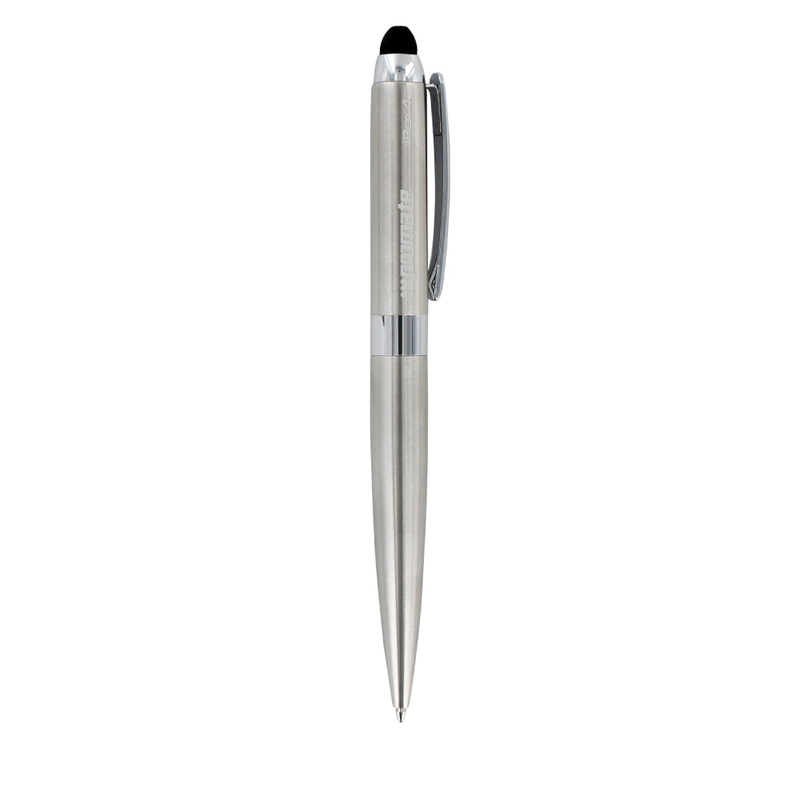
Promate Multifunction 3-in-1 Stylus Pen | iPen4

Accessories
BUBBLE-BRO CO2 CYLINDER

Accessories