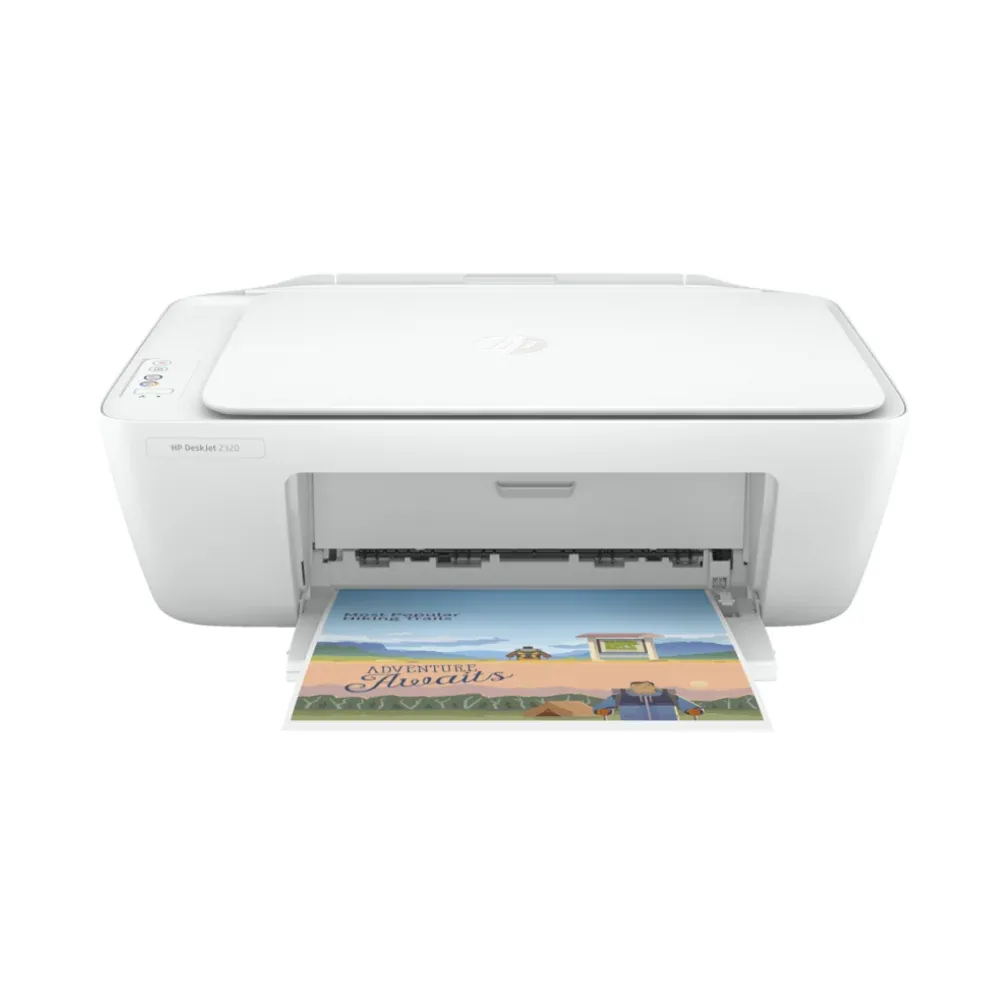
Functions Print, copy, scan First page out (ready) Black: As fast as 15 sec [3] Recommended monthly page volume 50 to 100 Duty cycle (monthly, A4) Up to 1000 pages Print quality black (best) Black: Up to 1200 x 1200 rendered dpi Color: Up to 4800 x 1200 optimized dpi color (when printing from a computer on selected HP photo papers and 1200 input dpi) HP COLOR DeskJet 2320 is an affordable, all-in-one inkjet printer designed for basic home use, providing print, copy, and scan functions. It features a compact design, simple PC setup using the HP Smart app and a USB cable, and supports everyday tasks with a recommended volume of 50-100 pages per month. The printer uses HP #305 ink cartridges and is compatible with Windows, Mac, and Linux operating systems. ZHP-3YM60 ZHP-3YM61 Back to Basics: Why the HP DeskJet 2320 is the Perfect Essential Home Printer In a world of complex "smart" gadgets, sometimes you just need a tool that does exactly what it says on the box. If you’re looking for a reliable way to print occasional boarding passes, school assignments, or scanned documents without a complicated setup, the HP DeskJet 2320 All-in-One is your ideal match. Known as the "simple way to get the essentials," this printer is a favorite for budget-conscious users who value straightforward performance. Here is why the 2320 is a staple for home use. 1. True All-in-One Versatility The DeskJet 2320 proves that you don’t need to spend a lot to get a multi-functional device. It handles your three most important tasks in one compact unit: Printing: Reliable everyday documents with sharp text. Scanning: A flatbed scanner for easily digitizing photos or IDs to PDF. Copying: Quick, one-touch copying for physical documents. 2. Effortless Setup One of the biggest selling points of the HP 2320 is how quickly you can go from unboxing to printing. USB Connectivity: This is a dedicated wired printer. Simply connect it to your computer via the Hi-Speed USB 2.0 port for a stable, lag-free connection. HP Smart App: Use the app on your PC for a guided, step-by-step setup that handles driver installation for you. 3. Compact and Thoughtful Design Designed to fit where you need it, the DeskJet 2320 features a clean, white aesthetic and a minimal footprint. Space-Saver: It easily fits on a small desk, a shelf, or even tucked away in a cabinet. Integrated Tray: The 60-sheet input tray and 25-sheet output tray keep your workspace organized. 4. Affordable Quality with Original HP Ink While the printer itself is highly affordable, HP ensures you don’t sacrifice quality. Sharp Results: Using Original HP 305 ink cartridges , you get crisp black text and vibrant colors for all your everyday documents. High-Yield Options: For those who print a bit more often, optional high-yield (XL) cartridges are available, allowing you to print up to twice as many pages compared to standard cartridges. 5. Eco-Conscious Efficiency The DeskJet 2320 is designed with the environment in mind. HP Auto-Off Technology: The printer senses when it’s not in use and powers down to save energy. Easy Recycling: You can count on free and easy cartridge recycling through the HP Planet Partners program. The Verdict The HP DeskJet 2320 is the ultimate "no-fuss" machine. By focusing on a stable USB connection rather than wireless networking, it provides a dependable experience for users who want to print, scan, and copy without the hassle of Wi-Fi troubleshooting.
No questions yet — ask the first one.
Sign in after purchasing to rate and review this product.
Sign In