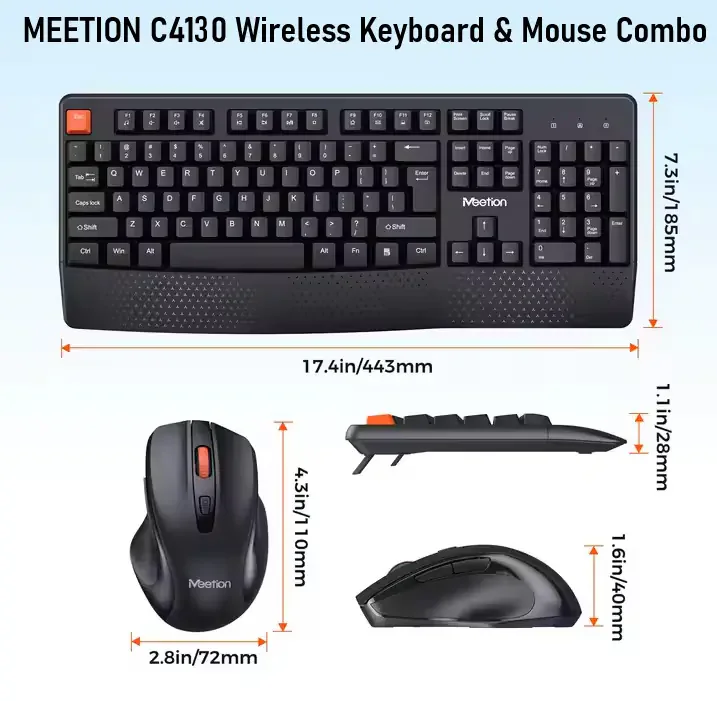
Expert Features: 2.4GHz Wireless Connectivity Stable wireless connection with up to 10m range using a USB Nano receiver. Just plug and play—no drivers required. Dual Language Layout (English/Arabic) Full-size keyboard with 104/105 keys , including Arabic and English characters , perfect for bilingual users. Ergonomic & Silent Typing Experience The ergonomic design promotes natural hand positioning, while silent keys provide a noise-free experience ideal for offices, libraries, and late-night work. 12 Multimedia Shortcut Keys Use Fn + Function keys for quick access to volume, playback, email, and more— improving workflow and productivity. Adjustable DPI Mouse (800/1200/1600 DPI) Comfortable, matte-finished wireless mouse with 3 DPI levels for smooth tracking and tailored sensitivity. Energy-Saving Technology Both devices enter auto-sleep mode when idle to preserve battery life— smart and efficient. Soft-Touch Matte Surface Durable matte coating resists fingerprints and provides a comfortable grip during long use. Universal Compatibility Compatible with Windows XP, Vista, 7, 8, 10, 11 , and Mac OS . Expert Specs: Component Keyboard Mouse Layout 104/105 keys, ENG/AR 3 Buttons + Scroll Wheel Connection 2.4GHz via USB Nano Receiver 2.4GHz via USB Nano Receiver Battery 1x AA (not included) 1x AA (not included) Material UV Printed Keys, Matte Soft-Touch Finish Matte Soft-Touch Plastic DPI — 800 / 1200 / 1600 (adjustable) Multimedia Keys 12 Fn + Media Keys — Compatibility Win XP/Vista/7/8/10/11, Mac OS Win XP/Vista/7/8/10/11, Mac OS Dimensions 460 × 157 × 27 mm 110 × 60 × 37 mm Weight 450 ± 5g 60 ± 2g What’s in the Box: Wireless Keyboard (ENG/AR layout) Wireless Mouse USB Nano Receiver User Manual
No questions yet — ask the first one.
Sign in after purchasing to rate and review this product.
Sign In